Flash-Aurora: Toward Efficient Inference for Geospatial Foundation Models

Zhicheng Xu

MS-GIST, Georgia Institute of Technology

1 · Background

What are GFMs and what is Aurora

Geospatial foundation models (GFMs) now span several modalities. Prithvi-EO learns representations from multi-temporal remote-sensing imagery [8], [9]. Google AlphaEarth Foundations [10] and Cambridge TESSERA [11] encode geographic information into reusable embedding fields. Aurora [1], [2] is another GFM approach: a deep learning model that takes an initial condition and forecasts future Earth-system fields, including weather, air quality, and waves. Flash-Aurora accelerates that inference and export path.

Published model or fine-tune

Flash-Aurora preset token

Task

aurora-0.25-pretrained CDS ERA5 initial condition
era5_pretrained
Global weather forecasting
aurora-0.25-v1.5 Extended CDS ERA5 initial condition
aurora_v1p5
Weather forecasting with hourly leads
aurora-0.1-finetuned 0.1 degree IFS analysis
hres_0.1
0.1 degree high-resolution weather
aurora-0.4-air-pollution CAMS analysis
cams
Air-quality forecasting
aurora-0.25-wave WeatherBench2 meteorology and MARS wave data
wave
Ocean-wave forecasting
aurora-0.25-finetuned Shared fine-tuned Aurora; WeatherBench2 HRES initial condition
hres_t0_finetuned
HRES-T0 weather forecasting
tc_tracking
Tropical-cyclone track forecasting

hres_t0_finetuned and tc_tracking share the same Aurora fine-tuned variant and ingress. The tracking preset selects a different synoptic initial condition and runs the cyclone-tracking workflow.

1 · Background

What Aurora tries to solve

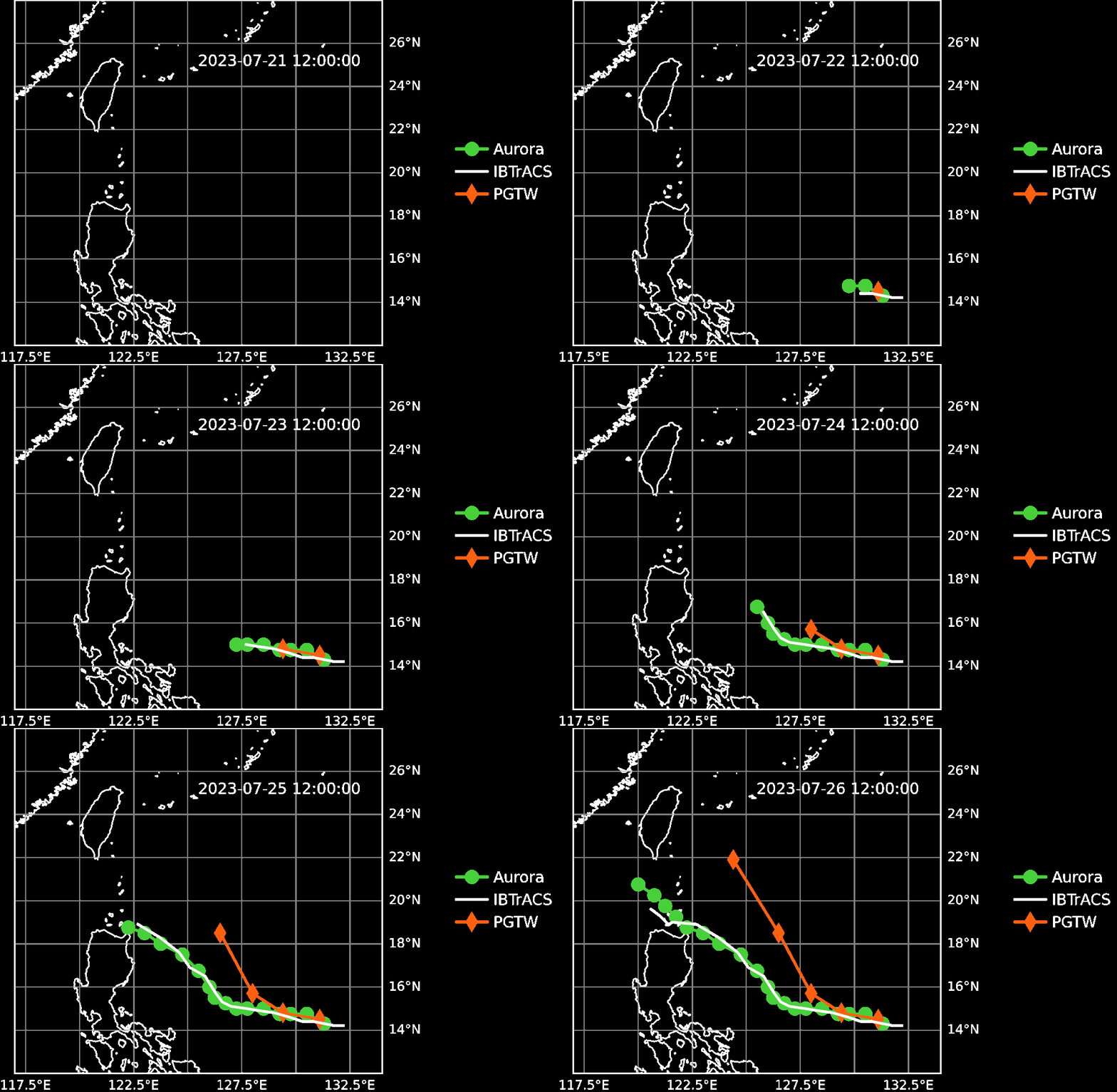
Official Microsoft Aurora demos across weather, air quality, waves, and tropical-cyclone tracking - examples of outputs that Flash-Aurora can export as GIS-ready layers.

Aurora high-resolution 2-meter temperature forecast animation
High-res 2 m temperature
Aurora nitrogen dioxide air-quality forecast animation
NO₂ air quality
Aurora ocean wave direction forecast animation
Ocean wave direction
Aurora tropical cyclone track forecast animation
Tropical-cyclone tracks

Source: Microsoft Aurora documentation GIFs; Bodnar et al., Nature 2025 [1]; github.com/microsoft/aurora [2].

2 · Motivation

The missing layer

Aurora workflows share one job shape: build an initial condition, roll it forward, and export analysis-ready rasters. Applications need that path to be fast and easy to operate. LLM stacks already ship FlashAttention [4] and vLLM [5]; weather AI has Earth2Studio [3]. GFMs still lack a dedicated inference and serving stack.

Flash-Aurora is the inference and serving layer: it bridges research checkpoints to GIS-ready forecast products.

Stack diagram highlighting the inference and serving infrastructure gap

3 · Architecture

The Architecture

Three nested packages separate deployment, forecast execution, and model computation. The same Engine can run directly in a process or inside a Scheduler worker.

  • Scheduler: queues complete forecast jobs across GPU workers.
  • Engine: prepares initial conditions, rolls out forecasts, and exports products.
  • Models: use published Aurora variants with Flash-Aurora kernels and precision routing.

Read the diagram from outside in: Scheduler manages deployment; Engine owns the forecast workflow; Models execute the forward path.

flash_aurora

scheduler

flash_aurora.scheduler

Wraps engine instances in long-lived GPU workers

  • ForecastCommand / Event
  • Coordinator + Workers
  • Job-level scheduling across GPU workers

engine

flash_aurora.engine

Coordinates model ingress, runtime, and egress

  • Build and validate initial conditions; load checkpoints
  • Warmup, VRAM preflight, optional pipeline parallelism
  • Rollout and NetCDF / GeoTIFF export
Preset Prepare Rollout Export

models

flash_aurora.models

Forecast forward path and kernel dispatch

  • Aurora / Aurora 1.5 families
  • Shared Triton [6] + CuTe DSL [7] kernels
  • Named inference_precision tiers

The engine can run directly in a process or inside a scheduler worker; the scheduler queues whole jobs rather than splitting a single forward pass among workers.

4 · Compute

Fused Swin3D kernels reduce memory traffic

The Swin3D backbone is a major forward-pass cost. Triton [6] fuses window layout and AdaLN, while CuTe DSL [7] replaces the short-window attention kernel on production tiers. Both reduce intermediate reads and writes to GPU global memory.

  • Triton [6] fuses window layout and AdaLN, so intermediate tensors need not be materialized
  • CuTe DSL [7] runs short-window attention with 144 tokens per window and tiled Q, K, and V data in shared memory
  • Online softmax accumulates in FP32 without writing the full pairwise attention matrix to global memory
CuTe DSL BF16 and TF32 window attention vs PyTorch SDPA on Blackwell
CuTe DSL Window Attention Benchmarks (NVIDIA RTX PRO 6000 Blackwell)

5 · Mixed precision

Mixed-precision routing: lower-cost matrix math where safe

Tiers use backbone@encoder_decoder. The left token selects backbone matrix-multiply precision; the right selects encoder/decoder matrix-multiply precision. These are compute policies, not a conversion of stored model weights. Lower-precision Tensor Core matrix operations provide higher throughput than strict FP32 in the heavy backbone, while the encoder/decoder can retain FP32 where a stricter numerical path is needed.

bf16_mixed@fp32 / bf16_mixed@tf32

Hybrid backbone: BF16 attention and MLP paths, TF32 elsewhere; FP32 or TF32 encoder/decoder GEMMs.

tf32@fp32 / tf32@tf32

TF32 backbone GEMMs; FP32 or TF32 Tensor Core GEMMs in the encoder and decoder.

fp32@fp32 / fp32@tf32

Strict FP32 backbone GEMMs; FP32 or TF32 encoder/decoder GEMMs.

CUDA cores

General-purpose parallel work

Flexible arithmetic, logic, and control flow for many kinds of GPU code.

Tensor Cores

Specialized matrix multiply-accumulate

Fixed hardware paths that accelerate the dense matrix operations used by neural networks.

Blackwell Ultra has 128 CUDA cores and four fifth-generation Tensor Cores per SM. Conceptual view, not to scale. Source: NVIDIA Technical Blog.

5 · Mixed precision

How much faster is one forecast step?

Measured latency for one model.forward call, or one rollout step, across presets and precision tiers. The tier-isolated benchmark warms the model first, then compares compute only: it excludes data download and GIS export.

One-step end-to-end forward latency by precision tier across model configurations including Aurora 1.5
One model.forward step after warmup (NVIDIA RTX PRO 6000 Blackwell)

Preset tokens (era5_pretrained, hres_0.1, ...) are the same ones mapped to published models and tasks on page 2.

5 · Mixed precision

How much numerical precision do we lose

Stacked per-variable mean relative error versus the PyTorch FP32 baseline (seed 42). Each segment is one output field; shorter stacks mean less aggregate drift. PyTorch autocast is a comparison baseline, not a quality threshold; it exceeds tolerance for some variables.

Stacked mean relative error by variable for each model and precision tier
Stacked mean relative error versus the FP32 baseline (precision suite, seed 42)

Preset tokens (era5_pretrained, hres_0.1, ...) are the same ones mapped to published models and tasks on page 2.

6 · Engine

One path: download, compute, export

The Engine hides Aurora operational detail behind presets. Pick a preset, download or cache initial conditions, run rollout, and export analysis-ready rasters - including optional regional ROI clips.

Download

Preset-aware ingress from CDS, ADS, WeatherBench2, or ECMWF Open Data GRIB; build and cache the initial condition.

Compute

Load checkpoint, apply precision tier, and run autoregressive rollout on the shared Engine spine.

Export

Write NetCDF or GeoTIFF. Create ROI masks from a bounding box, shapefile, raster, or GeoJSON and ship regions, not the whole planet.

6 · Engine

From analysis data to GIS layers

The Engine is the primary data path: build an initial condition, run the forecast, then export products. The Scheduler is an optional, parallel deployment route that sends the same complete forecast job to a matching GPU worker.

Initial-condition ingress

Build and validate an Aurora analysis batch

Dynamic analysis fields ERA5, HRES, CAMS, NetCDF, or a configured source adapter
Static land fields orography, land-sea mask, and related grids
Checkpoint and preset select the Aurora variant, precision tier, and local or Hub weights

Primary path: direct Engine (Scheduler bypassed)

Engine

One preparation stage, followed by one GPU placement choice and one autoregressive rollout

Prepare the initial condition and load the model build and validate the batch, load the checkpoint, reserve GPU memory, and warm up compiled paths
Launch on 1 GPU default Engine placement
Split the workload across 2 GPUs optional pipeline placement within one Engine process
Run autoregressive forecast steps each step advances the model state, then flows to export or an in-memory consumer

Optional service path: Scheduler before Engine

Scheduler

Control plane for complete forecast requests, not a model stage

Submit a forecast request preset, time or input path, and requested forecast length
Match a preset-bound GPU worker the coordinator waits for an available matching worker
Engine executes inside the matched GPU worker the normal worker owns one primary GPU and one preset; events stream back to the client

Egress and export options

Choose variables, format, CRS, and an optional region of interest

Full-field product NetCDF preserves the forecast batch for scientific analysis
Regional surface GeoTIFF one device-to-host copy per step, then CPU masking for bounds, raster, shapefile, or GeoJSON
GIS-ready forecast products open NetCDF in xarray or surface GeoTIFFs in QGIS and ArcGIS
  • Forecast inputs
  • Main Engine path
  • Forecast products
  • Optional deployment or output path

6 · Engine

Access the region, not the planet

ROI masks accept bounds, shapefiles, rasters, or GeoJSON. Each forecast step makes one device-to-host copy, then applies every mask on the CPU and writes regional GeoTIFFs. ROI reduces disk and export work; it does not reduce the global GPU forecast computation.

Preparing map…

Layers: Flash-Aurora ROI GeoTIFF exports (2t, two steps). Basemap: CARTO / OpenStreetMap.

7 · Serving

Scheduler architecture

Clients submit whole forecast jobs to a coordinator. Long-lived workers keep models resident on a primary GPU and execute jobs sequentially. This is job-level scheduling, not tensor parallelism; optional pipeline parallelism is a separate in-process Engine mode.

A worker is bound to one preset and normally one GPU. A pipeline worker is the exception: one process can reserve multiple GPUs for one model.

Flash-Aurora scheduler: client, job queue, and four GPU workers with models kept resident

7 · Serving

Heterogeneous jobs and refill

Worker-utilization traces: first assignment, then refill while a slower hres_0.1 job is still pending. A completed worker can accept its next queued job while another GPU remains busy.

Four workers each taking one one-step job
One job per worker
Faster workers refill while hres_0.1 is pending
Refill while a slow job is pending

Traces: docs/example_scheduler_distributed_workers.ipynb on 4x NVIDIA RTX PRO 6000 Blackwell.

8 · Affordable AI

Fit large grids on smaller GPUs

For supported Aurora models, pipeline parallelism keeps one model in one process but places the encoder, backbone, and decoder on separate GPUs. It can avoid requiring one high-VRAM GPU for the entire model.

The trade-off is explicit: more GPU-to-GPU transfers and coordination, but a lower per-GPU VRAM requirement for the same forecast.

Pipeline parallelism placement across two GPUs

8 · Affordable AI

Two desktop GPUs: measured rollout capacity

Pipeline placement on two GPUs in one process. Four-step end-to-end rollout with export; bf16_mixed@fp32.

2x RTX 5090

32 GiB per GPU

era5_pretrained 721 x 1440
Per step
1.319 s
4-step
5.278 s
Peak VRAM
12.9 / 18.2 GiB
hres_0.1 1801 x 3600
Per step
3.626 s
4-step
14.502 s
Peak VRAM
23.6 / 22.9 GiB

2x RTX 4090

24 GiB per GPU

era5_pretrained 721 x 1440
Per step
2.198 s
4-step
8.790 s
Peak VRAM
12.6 / 17.8 GiB
hres_0.1 1801 x 3600
Per step
3.475 s
4-step
13.901 s
Peak VRAM
20.4 / 22.6 GiB

Peak VRAM is GPU 0 / GPU 1. Different hosts, so figures validate capacity rather than rank GPU speed. Preset tokens: page 2.

9 · Future models

Aurora 1.5 integration through presets

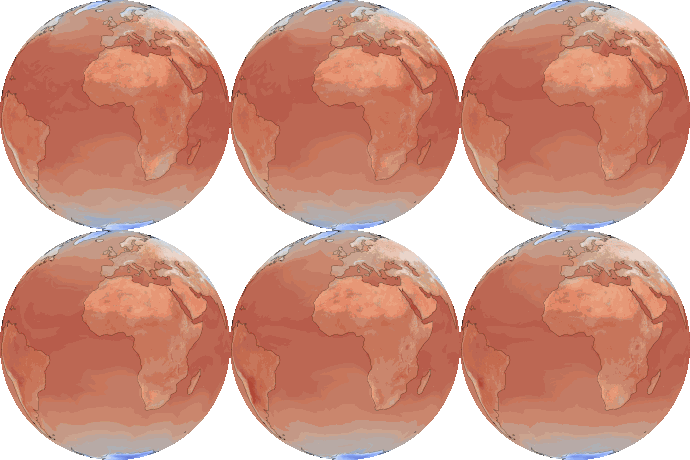
The Engine selects Aurora 1.5 through a preset and its dedicated model and rollout path, while reusing the same ingress, egress, and inference-precision interface. Run output from docs/example_aurora_v1p5.ipynb (ERA5 IC, 2023-01-01).
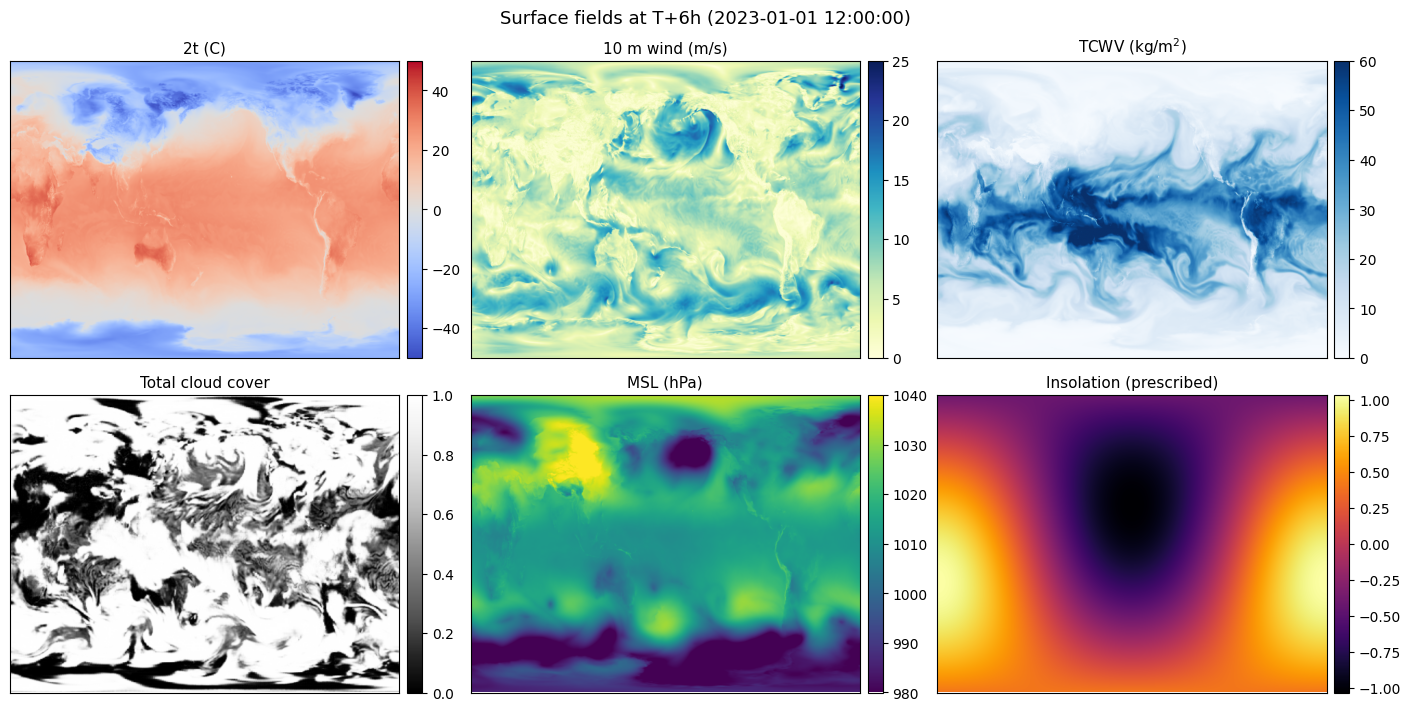
Aurora 1.5 surface fields at T+6h: 2t, 10m wind, TCWV, cloud cover, MSL, insolation
Surface fields at T+6h (2t, 10 m wind, TCWV, cloud cover, MSL, insolation)

References

Selected references

  1. C. Bodnar et al., "A foundation model for the Earth system," Nature, vol. 641, no. 8065, pp. 1180-1187, May 2025, doi: 10.1038/s41586-025-09005-y.
  2. Microsoft, "Aurora," GitHub repository. [Online]. Available: https://github.com/microsoft/aurora
  3. NVIDIA, "Earth2Studio," GitHub repository. [Online]. Available: https://github.com/NVIDIA/earth2studio
  4. Dao-AILab, "flash-attention" (FlashAttention / FlashAttention-4), GitHub repository. [Online]. Available: https://github.com/Dao-AILab/flash-attention
  5. vLLM Project, "vLLM," GitHub repository. [Online]. Available: https://github.com/vllm-project/vllm
  6. Triton contributors, "triton," GitHub repository. [Online]. Available: https://github.com/triton-lang/triton
  7. NVIDIA, "CUTLASS" (CuTe DSL), GitHub repository. [Online]. Available: https://github.com/NVIDIA/cutlass
  8. J. Jakubik et al., "Foundation models for generalist geospatial artificial intelligence," arXiv:2310.18660, 2023.
  9. D. Szwarcman et al., "Prithvi-EO-2.0: A versatile multi-temporal foundation model for Earth observation applications," arXiv:2412.02732, 2024.
  10. C. F. Brown et al., "AlphaEarth Foundations: An embedding field model for accurate and efficient global mapping from sparse label data," arXiv:2507.22291, 2025.
  11. Z. Feng et al., "TESSERA: Temporal embeddings of surface spectra for Earth representation and analysis," arXiv:2506.20380, 2025.

Thank You

Feedback from GIS professionals is especially valuable to improve the software!